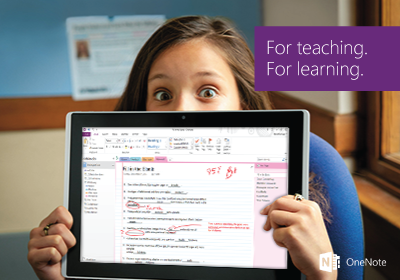
একটি LMS ব্যবহার করে OneNote শ্রেণির নোটবই সংহত করুন

লার্নিং টুলস ইন্টারঅপারেবিলিটি (LTI) নামক একটি জনপ্রিয় মানক ব্যবহার করে OneNote শ্রেণি নোটবই আপনার লার্নিং ম্যানেজমেন্ট সিস্টেমের সাথে কাজ করতে পারে।

একটি অংশিদারীকৃত নোটবুক তৈরি করতে এবং এটিকে আপনার পাঠ্যক্রমের সাথে যোগসূত্র করতে আপনার LMS-এর সাথে OneNote শ্রেণি নোটবই ব্যবহার করুন।
শুরু করুন
Important: The classic Microsoft OneDrive, OneNote Class Notebook, Teams Assignments, and Reflect LTI apps have been replaced by the new Microsoft 365 LTI.

The classic apps will be sunset on September 17, 2026. After that date, the classic apps and any content links in courses will stop working; however, the files, notebooks, teams, meetings, and check-ins created by the classic apps will continue to be accessible through Microsoft 365. For guidance on moving your users and courses to the new Microsoft 365 LTI experiences and migrating content links, please review the migration guidance for the classic LTI apps.
শুরু করতে আপনার LMSকে OneNote-এ নিবন্ধন করতে হবে।
শুরু করতে আপনার স্কুল থেকে আপনার Office 365 অ্যাকাউন্টে সাইন ইন করুন।
OneNote শ্রেণি নোটবই এর সাথে কিভাবে ব্যবহার করবেন: